Free AI t-shirt design tools, no sign-upTry It Free

Style

Hoodie color

Free to try, no sign-up

Hoodie Maker

Describe your idea and get a print-ready hoodie graphic on a hoodie preview, ready to download.
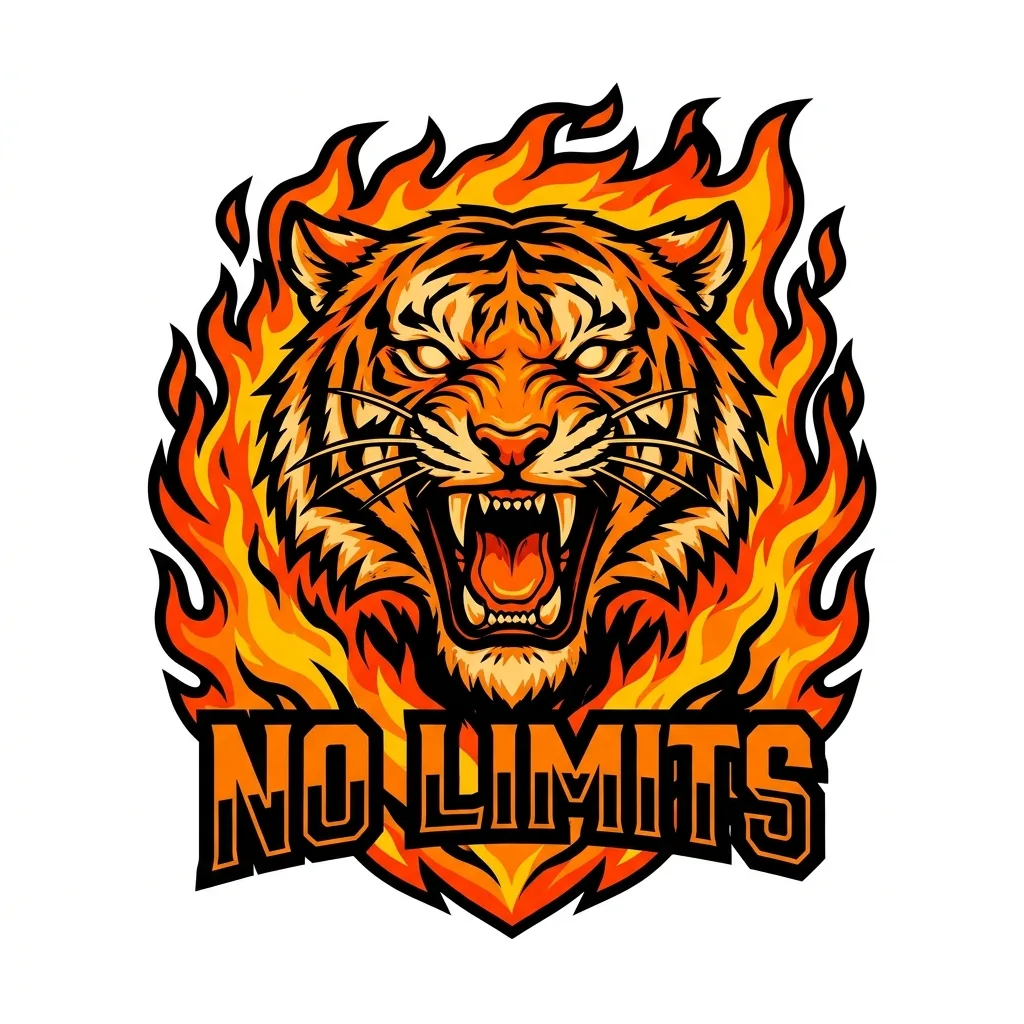
Hoodie Maker result: Hoodie Maker result: a streetwear tiger head in flames with No Limits lettering

Example result. Pick your options to make yours.

Examples

Hoodie Maker result: Hoodie Maker result: a streetwear tiger head in flames with No Limits lettering
Hoodie Maker result

A Hoodie Maker That Draws the Design for You

Type an idea, pick a style, and get artwork made for a hoodie chest.

This hoodie maker turns one sentence into a finished graphic. You do not upload a logo or dig through clip art. Describe what you want, such as a tiger head surrounded by flames, and add a few words if the design needs them.

Pick one of seven styles (Vintage, Streetwear, Cartoon, Minimal Type, Badge, Line Art or Watercolor) and a light or dark hoodie. The ink colors adapt to the hoodie color. You get a 1024 by 1024 PNG, and the result is placed on a hoodie preview that you can move, resize and rotate. It is AI output, so check the details before you use it.

Compare that with shop design studios, which start from a blank hoodie and ask you to bring artwork. Here the artwork comes first, and the hoodie preview follows. That order suits anyone who has an idea but nothing to upload yet.

Made for

  • Friend groups
  • Clubs and teams
  • Gift ideas
  • Small merch drops
  • Streetwear fans
  • First-time designers

How to Design a Hoodie in Three Steps

No design skills needed, and no software to install.

  1. 1

    Describe your design

    Write what the artwork shows, up to 300 characters, for example a tiger head surrounded by flames. Add short text in the second field, up to 40 characters, if you want words on the hoodie.

  2. 2

    Choose a style and hoodie color

    Streetwear is the default. Pick White / light or Black / dark so the ink colors suit the hoodie. One free image is yours, with no sign-up.

  3. 3

    Generate, then place it

    The design usually takes about 14 seconds. Drag it on the hoodie preview, scale it with the Size slider, then download the PNG or the transparent PNG. To change the idea, generate again.

Hoodie Maker Tips for a Design That Prints Well

Small choices in the description change the result.

  • Describe one clear subject, like a wolf, a skull or a rising sun, instead of a whole scene.
  • Keep the words short: lines of up to six words were spelled correctly in our tests.
  • Pick the hoodie color first, because a dark hoodie gets brighter ink colors.
  • Choose Badge when you want a round or shield-shaped emblem for the chest.
  • Choose Line Art for a quiet one-color look.
  • Generate once with care, since your free allowance covers the whole site.
  • Check the spelling and details in the result before you download it.

Frequently asked questions

Describe your idea in this hoodie maker and use your one free image, shared across the whole site, with no sign-up and no credit card. You get a PNG of the artwork and a preview on a hoodie. We do not print or sell hoodies, so you take the file to the printer you like.

It depends on the job. Shop design studios suit ordering a printed hoodie, and image editors suit artwork you already have. This tool suits getting a first design from an idea, in the browser and without drawing anything.

Yes, for the artwork. Put the team name in the text field, pick a Badge or Streetwear style and generate a chest graphic. You still order the printed hoodies from a printer, and the same file can go to every member.

Start with the idea, not the file. In the hoodie maker, describe one subject, choose a style and the hoodie color, add a short phrase if you want, then generate. Move the result on the hoodie preview and download it.

A bold chest graphic with one clear subject usually reads best. Streetwear and Badge styles suit that look, and Line Art or Minimal Type suit a quieter hoodie. The tips above cover the rest.

Yes, the artwork is a flat graphic, so you can use the PNG on a sweatshirt as well. The preview shows a hoodie only. The design is made as a hoodie chest graphic.

No. This tool makes the design and shows it on a drawn hoodie preview. Printing, ordering and shipping happen elsewhere, with a printer of your choice.

Yes. After generating, use Transparent PNG. The white background is removed in your browser, and white that touches the edges is removed too. White inside the design stays.

Usually, when it is short. In our tests of this hoodie maker's engine, 9 of 9 lines came out spelled right, up to six words. Longer lines and non-English text were not tested, so check the spelling before you download.

It is sent to an AI image model to make your design. The model provider keeps the result for a limited time so you can download it, so save the file right away.

The artwork is a flat chest graphic, so it fits either cut. The preview shows one drawn hoodie, so check the placement on the garment your printer offers.