Shirt Template
Pick a shirt template, type your words and get a print-ready t-shirt design with a transparent background.
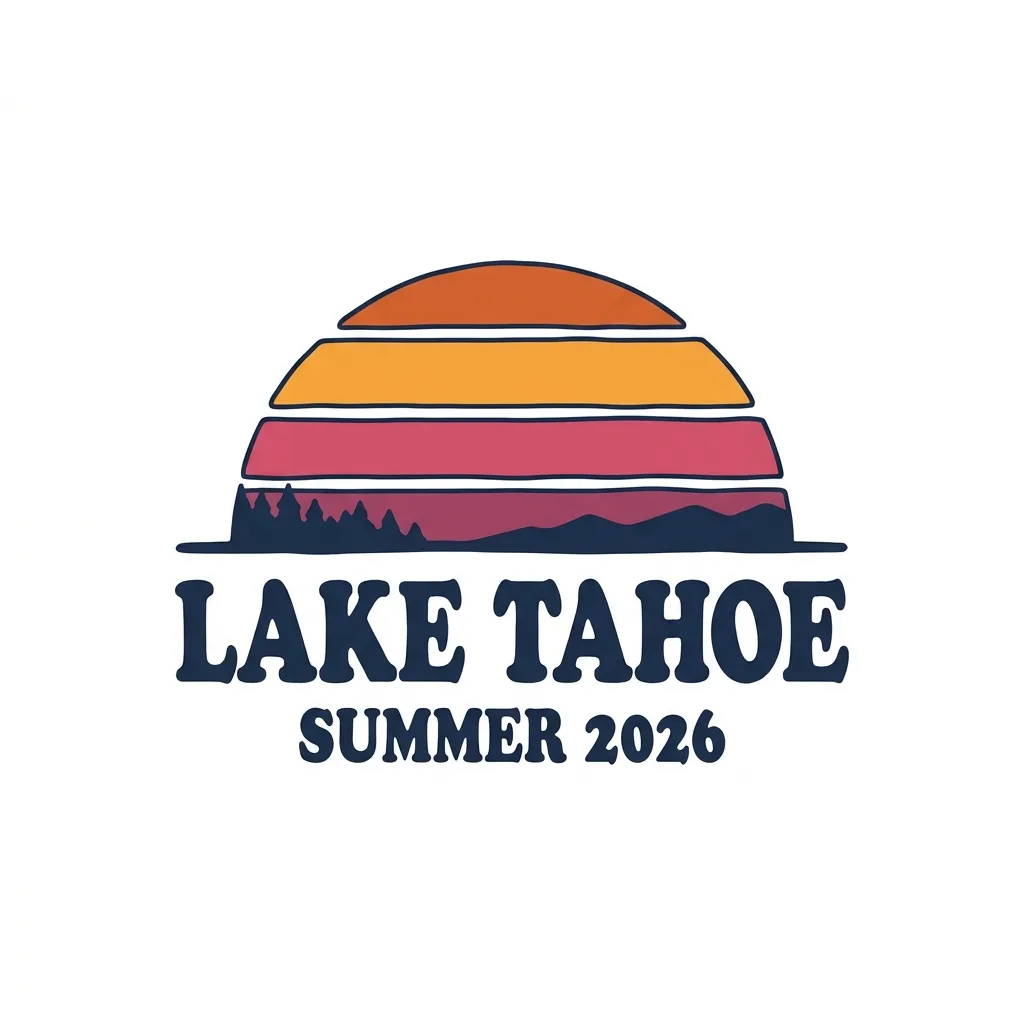
Example result. Pick your options to make yours.
Examples
Shirt Template Ideas for Every Occasion
Each template is built around one kind of event or group.
Team and club shirt template
Sports Team draws a crest with a mascot or ball icon in two team colors. Varsity gives arched block letters with a year or number. Add the team name on the first line and the season on the second.
Family reunions
Family Reunion makes a badge with a tree or house icon and a ribbon banner. Type the family name on the first line and the year on the second.
Birthday parties
Birthday adds balloons, confetti and a small cake around your name. It suits kids' parties and matching shirts for guests. Put the guest of honor's name on the first line and the age on the second.
Bachelorette weekends
Bachelorette pairs script and sans-serif lettering with hearts and a champagne glass in pink and gold.
Company outings
Company Team gives a clean emblem with a simple icon and one or two corporate colors, for retreats and volunteer days. Type the company or event name as the main text.
Group trips
Vacation frames palm trees, sun and waves in a postcard-style scene. Put the destination on the first line and the dates on the second.
Retro merch
Retro Sunset is a striped 70s sun over a horizon with chunky lettering. It is the default template, and it works for a band, a shop or a trip.
What This Shirt Template Maker Does
This is a shirt template maker, but a template here is a starting style, not a file you edit. You pick one of 8 templates, such as Retro Sunset or Family Reunion, and type a main line and an optional second line.
The AI draws a new flat design in that style around your words, on a white background. You get one 1024 x 1024 PNG per try, plus a Transparent PNG with the white removed.
There is no layer panel. To change the result, change the words or the template and generate again. Fonts, icons and colors all come from the template you pick, so you can try Varsity for a school look or Company Team for a plain corporate one. Your first one free image are free, with no sign-up.
Made for
- Teams and clubs
- Families
- Party hosts
- Small businesses
- Event organizers
How to Use a Shirt Template in Three Steps
Pick, type, generate. It takes under a minute of your own work.
- 1
Choose a template and shirt color
Click one of the 8 templates. Then choose White / light or Black / dark: the dark option makes the design in bright inks that stand out on black.
- 2
Type your words
Fill in Main text, up to 40 characters, such as a place or team name. Add a Second line if you want a date or slogan. Short lines work best.
- 3
Generate and download
Press Generate Design and wait for the result, usually around 14 seconds. Download the PNG, or the Transparent PNG, then drag the design onto the t-shirt preview to check its size and position. If the layout is not right, generate again with a different template or shorter words.